Close
Every weekFamily, best friends, your person. The ones you'd talk to every week if the week let you.
Fingerstring reminds you to stay in touch with the people who matter, on a rhythm you choose. Think of it as a string round your finger for every friendship, without the string.
 Formerly NextCall

What it does
Life gets busy and months slip by without anyone meaning them to. Put each person in a tier, and Fingerstring gives you a friendly nudge when it's been too long. No guilt and no spreadsheets.
Family, best friends, your person. The ones you'd talk to every week if the week let you.
Good friends and favourite colleagues. A monthly catch-up keeps them close.
Old friends, mentors, the cousin abroad. A few times a year is plenty, as long as it happens.
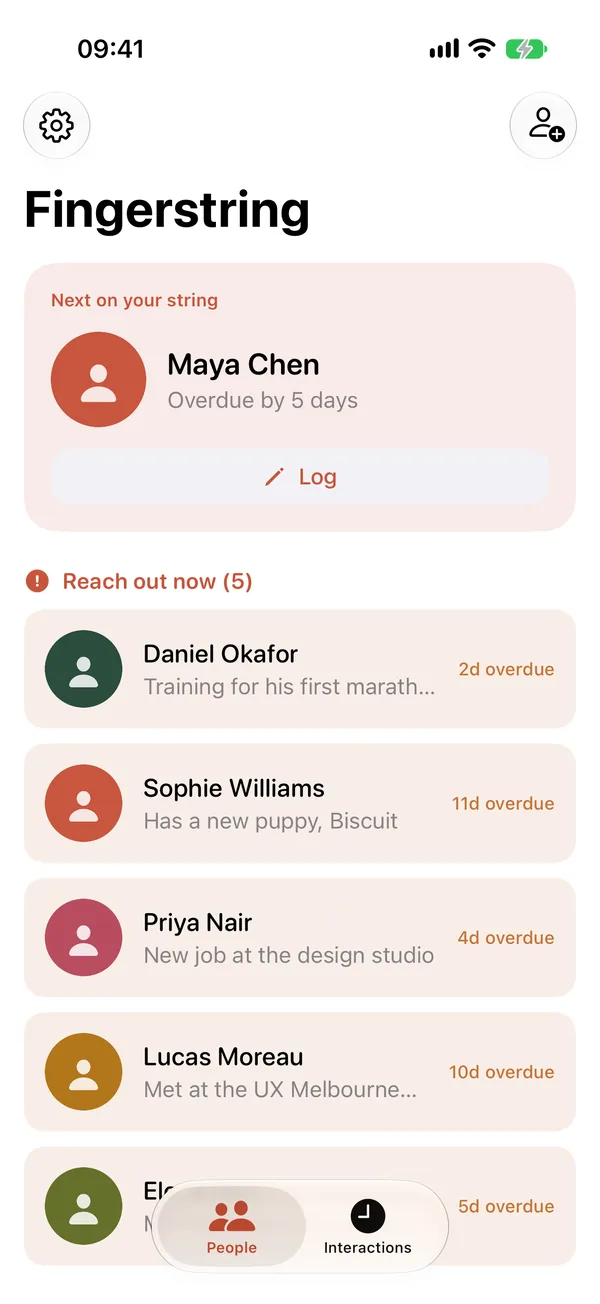
A reminder when someone's due, and one tidy notification when several are. Snooze when life gets in the way.
Record calls, messages and catch-ups in a tap, with a note so the next chat picks up where the last one ended.
Keep birthdays and jot down gift ideas the moment you hear them, so you're never stuck the week before.
Pin the things that matter, like a new job or a move, and see them right when you're about to reach out.
How it works
Six steps that go round for each person. Once you've logged a catch-up, their string resets and the loop starts again.
Choose them from your contacts. Fingerstring keeps only the ones you pick.
Close, Regular or Occasional. Or set your own number of days.
When someone's due, a gentle reminder lets you know.
Call, message or email straight from the app, or catch up in person.
Add a note about what you talked about, for next time.
Their reminder starts again from today. All tied up.
…and round again.
Birthdays and saved gift ideas sit with each person, ready when the date comes round.
Who should I call in Fingerstring?
or Log a call in Fingerstring.
See who's due next without opening the app, in small, medium or large.
Take a look
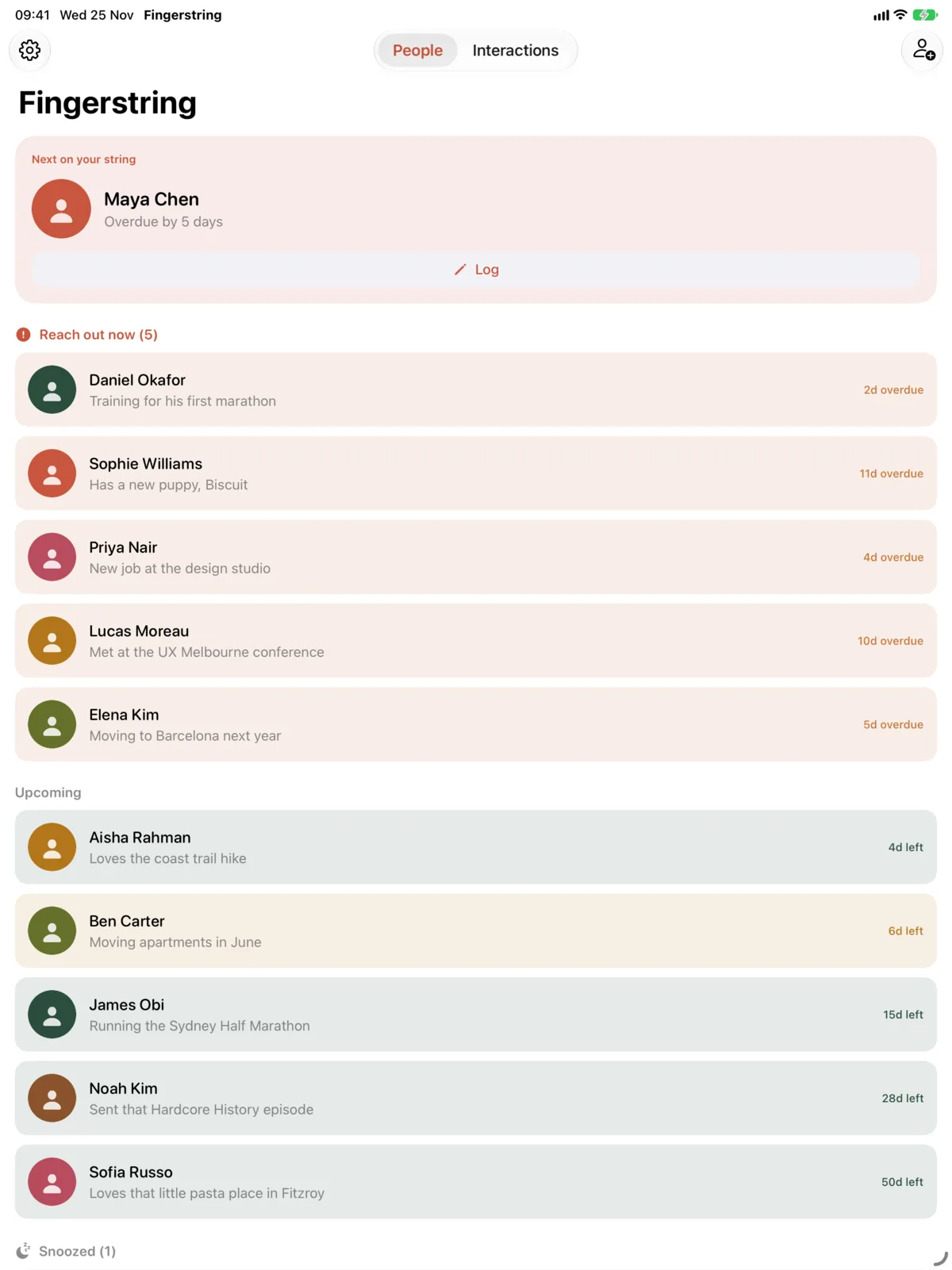
The same people and history on your iPhone and iPad, kept in step through your own iCloud.
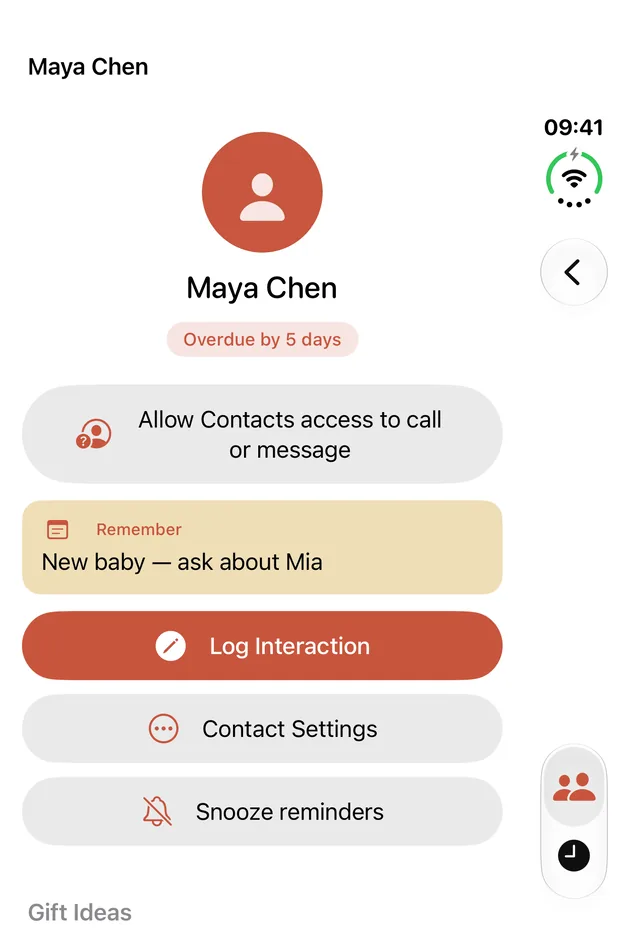
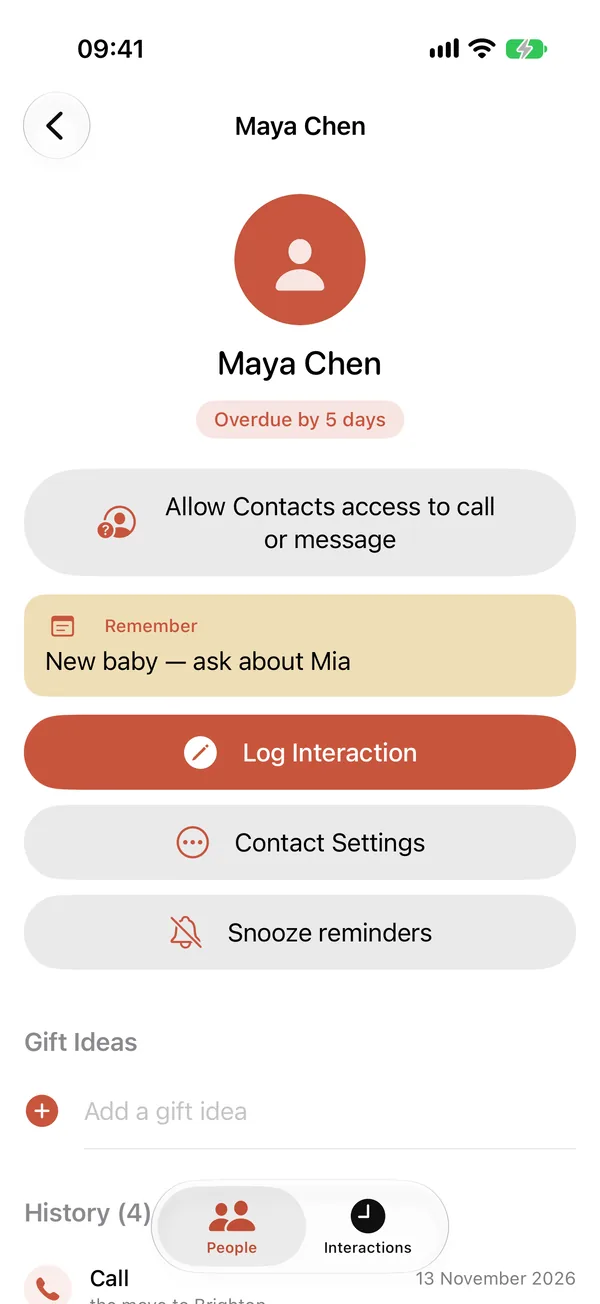
When you last talked, a pinned "don't forget" note, gift ideas, and quick ways to get in touch.
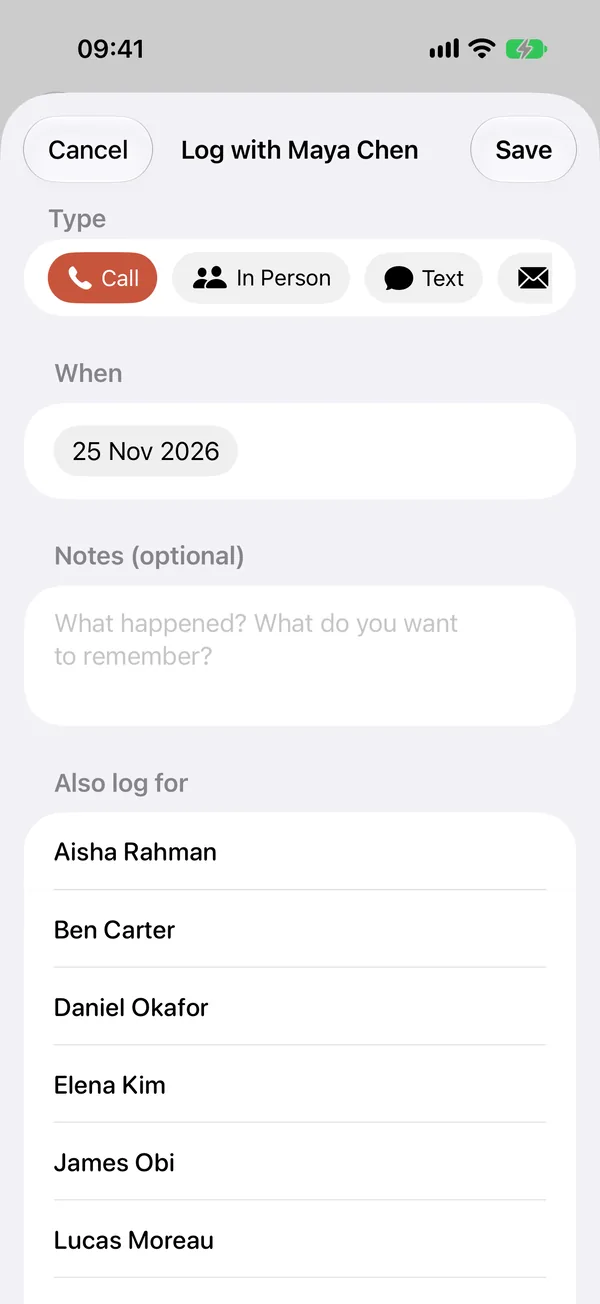
Call, text, email or in person, with an optional note. Saw a few friends at once? Log it for all of them.
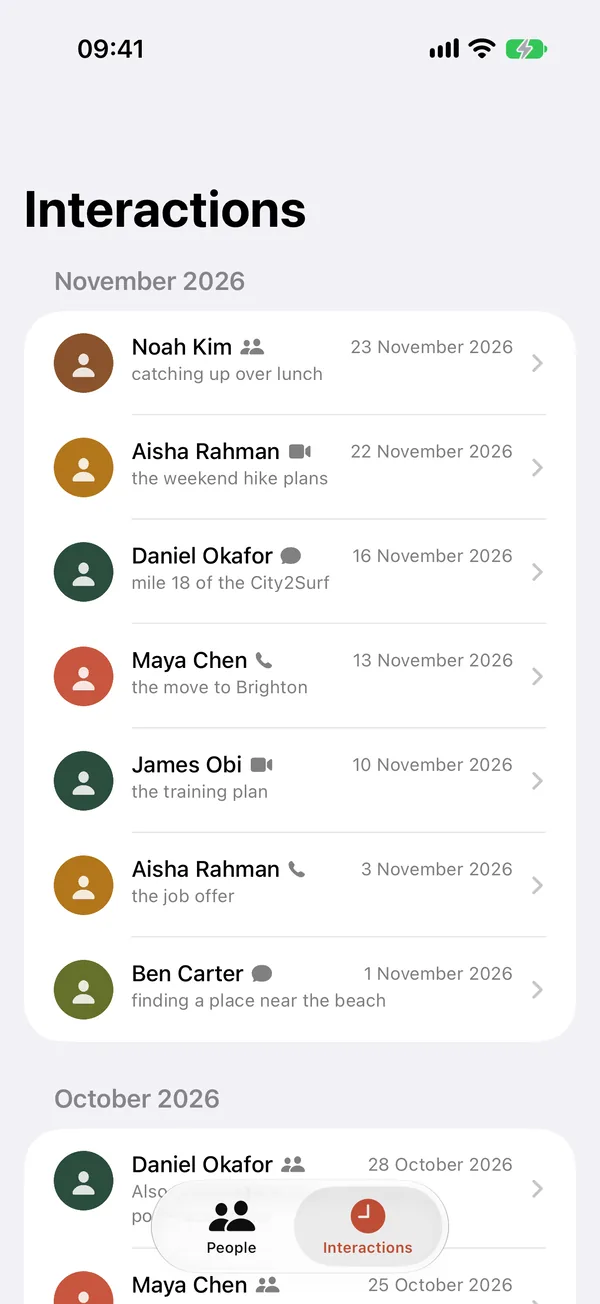
Every catch-up in one place, with your notes, so the next conversation picks up where the last one ended.
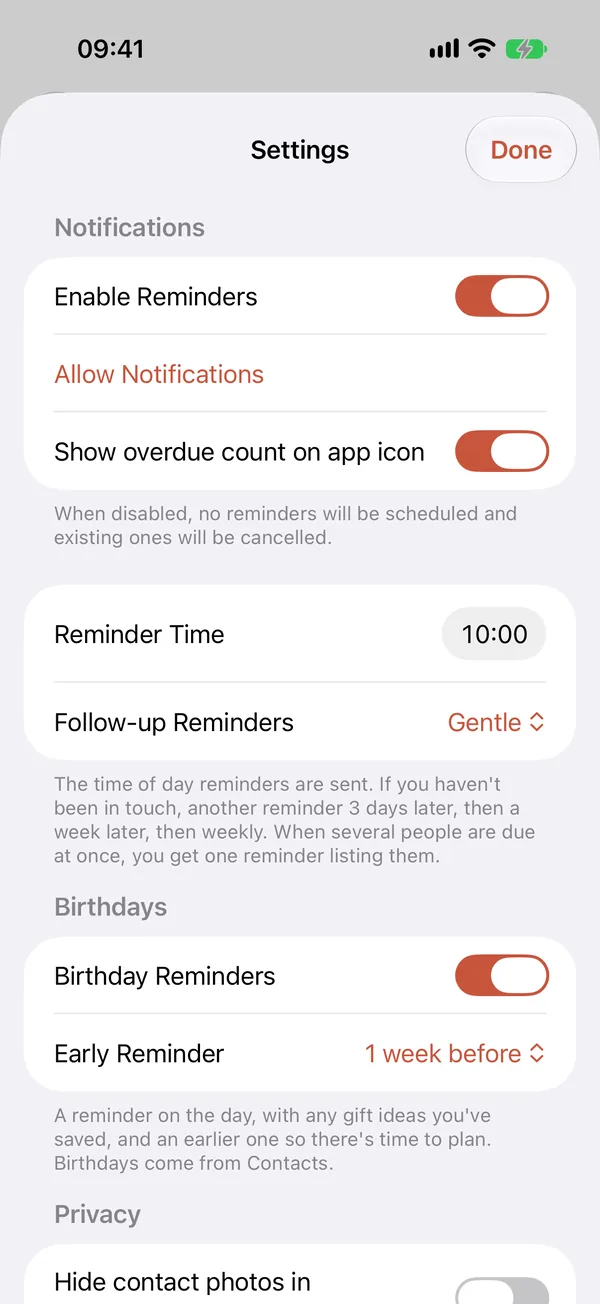
Pick the time of day, how persistent follow-ups are, and an early birthday reminder so there's time to plan a gift.
Private by design
Fingerstring never uploads your address book, and there's nothing to sign up for. The people you choose, your notes and your history stay on your devices.
Questions
It reminds you to keep in touch with the people who matter. You pick the people, choose how often you'd like to be in touch, and log each call, message or catch-up. When someone's due again, Fingerstring nudges you.
You pay once: A$0.99 on the App Store. There's no subscription, no in-app purchases, no ads and no tracking.
On your devices. There's no Fingerstring account and no Fingerstring server. If you have iCloud turned on, your people and history sync between your devices through your own private iCloud account, and you can switch that off in Settings. Fingerstring never uploads your address book.
That depends on the tier: Close is weekly, Regular is monthly and Occasional is quarterly. You can change the number of days for each tier in Settings. Someone you've just added becomes due one full interval after you add them, so you won't get a pile of reminders on day one.
If someone's due and you haven't been in touch, Fingerstring reminds you again 3 days later, then weekly. You can make follow-ups Gentle, Daily or Off.
It tries hard not to. When several people are due at once you get one notification listing them, not one each. You can snooze anyone for a while when life gets busy, and turn follow-up reminders off entirely.
Yes. Try:
Who should I call in Fingerstring?
Log a call in Fingerstring.
When did I last talk to someone in Fingerstring?
All of these are also available as actions in the Shortcuts app.
Yes, in small, medium and large sizes. It shows who's due next so you can see at a glance without opening the app.
iPhone and iPad running iOS or iPadOS 26 or later, including iPhone Duo, open or closed.
Yes. NextCall is now called Fingerstring. Your people, history, reminders and widgets all carry over when you update, and Siri still understands the old name.
Yes. In Settings you can export a backup file of your people, history and gift ideas, and restore from one later. Restoring replaces what's currently in the app.
Still stuck? Visit Help, or see what's new in the release notes.